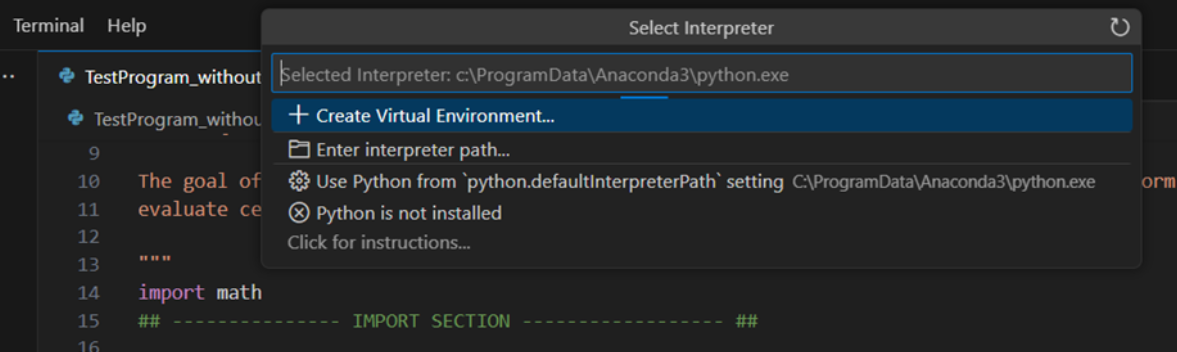
Hello,
I have another urgent issue with Visual Studio Code and I urgently need help.
I need to run my Python Code with the Python interpreter “base” and Visual Studio Code was usually automatically configured to do that. Now suddenly I get the error “conda info --envs --json”.
Even if Conda is surely installed in the system. Please see screenshots.
If I select the Python interpreter manually, by selecting the path C:/ProgramData/Anaconda3/python.exe I get the same error.
It looks like there is a wrong configuration on my machine, I already tried to uninstall und reinstall Visual Studio Code, but it didn’t solve the problem.
2 Likes
yes, I currently face the same problem here and I have reinstall the anaconda but the problem remains .
1 Like
I face the similiar problem after update vscode today and before update my problem is vscode always auto select conda base environment despite I click other conda environment when selecting interpreter
I happen to solving this problem by delete vscode extension python environment management .
6 Likes
thanks deleting that extension solved the error
2 Likes
Something in background happens and now I’m facing the same error: Error “conda info --envs --json”
I have disabled the Microsoft extension “Python Environments”.
Now it is working again!
6 Likes
thanks that’s exactly what solved my problem.
1 Like
It worked for me, Thanks for the suggestion.
2 Likes
OMG. Thank you so much. That was the only solution to fix the problem.
1 Like
This worked in Linux for me, thank you.